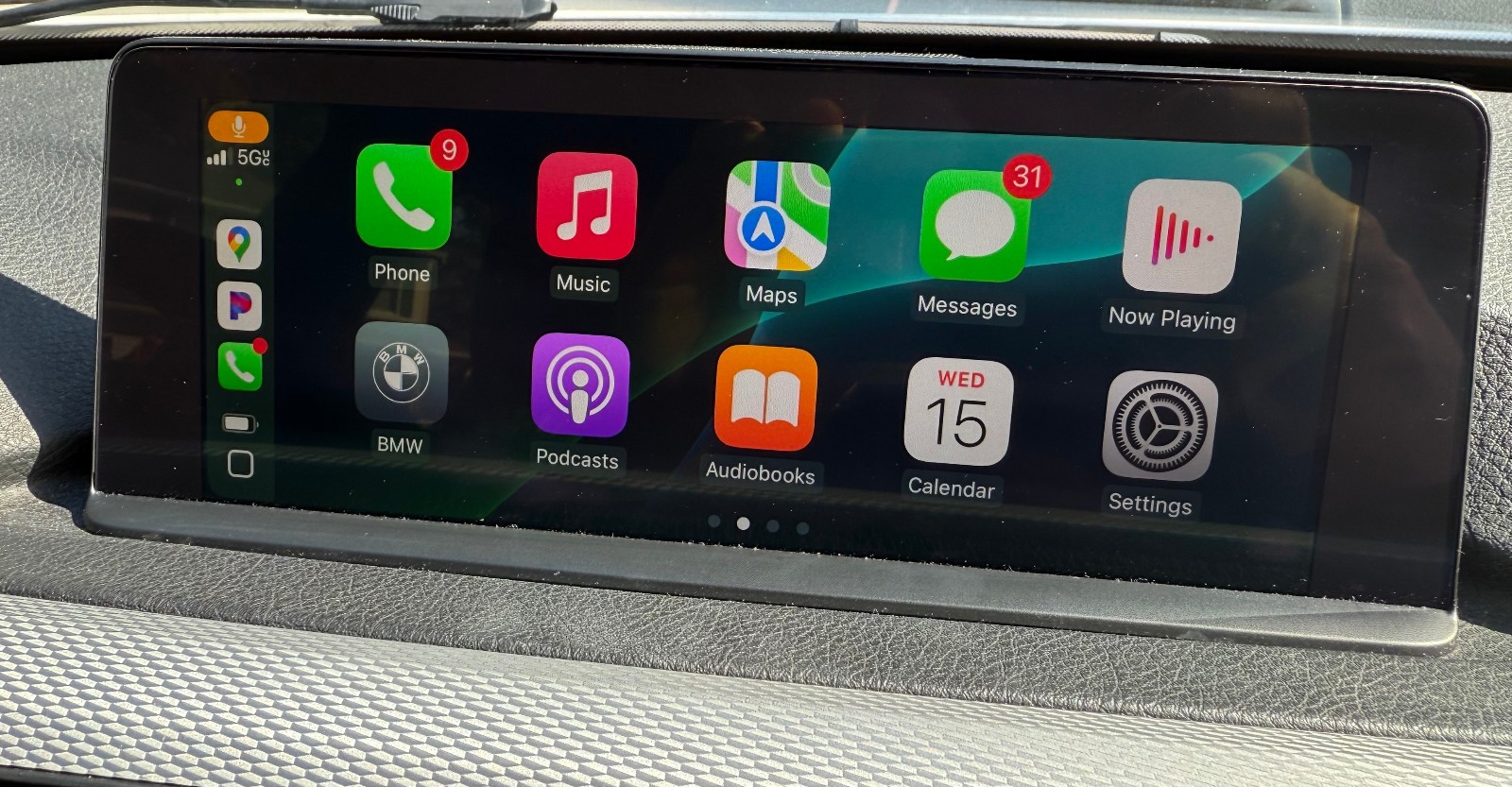
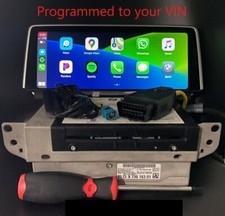
If your BMW Apple CarPlaycomes by default with a split-screen interface (eight app icons perscreen) by using our service, it will allow you to upgrade to full screenmode (10 app icons per page).
This feature is available for BMW cars with Professional navigation (609 option - 8.8/10.25 Inch screen)and produced after 2016/06.
Depending on your vehicle software,the BMW CarPlay full screen can be activated either via an ethernetcoding cable or withUSB coding process. To find out whichmethod is available for your car you can simply follow the below steps.
While in the car, please Go to Navigationand choose Maps -> Press Options button -> Go to Settings-> Scroll down to Position & Version and select it. At the bottom,beneath your Map version you will see NBTEVO_XXXXX
If your NBTevo starts witha letter H / I/ J / K /L / M unfortunatelyyour car software has to be upgraded to enable the Carplay full screen. We cando it remotely as well. Please contact us for those details.
If your NBTEvo starts with aletter N orO
You will need a USB Flash Drive
After purchase, please provide usyour FULL VIN and EMAIL and we will then send you a file. Please copyit to the USB Stick, plug it into the USB port in your car (located in thecenter arm rest storage), wait a minute and it\'s done. Your head unit will rebootand BMWFull AppleCarPlay will be activated!
If your NBTEvo starts withletter P / Q / R / S / T / U / W / V / X / Y
You will need an ethernetcoding cable, a laptop (Windows or Mac) and stable strong internetconnection.
After your purchase, please provideus your FULL VIN and EMAIL and we will send you a link to the app and activationcode
1. Download the app to your laptop
2. Connect ENET cable to your OBDport and computer and turn on the ignition
3. Launch the app and enter thecode that we sent you
4. Wait until the Start buttonwill be active and press it
5. Wait about 2-3 minutes tilleverything is finished and once your head unit reboots, your Apple CarPlay shouldbe displayed as a FULLSCREEN
Please note that if your car wasnever equipped with Apple CarPlay, you might be missing a Wi-Fi antenna forexample OEM part 61119372321 or 61119278133that should be connected on the back of the head unit.
List of compatible cars(Professional Navigation - 8.8/10.25 inch screen)
2016-2020 BMW 1 Series (F20 / F21)
2017-2020BMW 2 Series (F22 /F23)
2017-2019 BMW3 Series (F30 /F31 / F34)
2017-2020BMW 4 Series (F32 /F33 / F36)
2017-2019 BMW5 Series (G30with iDrive 6 and 10.25 inch screen)
2017-2019 BMW6 Series (F06 /F12 / G32)
2015-2019BMW 7 Series (G11 /G12)
2017-2019BMW X3 (F25 / G01)
2019-2020 BMW X3M/X4M (F97 / F98)
2017-2019BMW X4 (F26 / G02)
2017-2018BMW X5 (F15 / F85)
2017-2018BMW X6 (F16 / F86)
2017-2022BMW M2 (F87)
2017-2020BMW M3 /M4(F80 / F82 / F83)
2018-2019 BMWM5 F90
2018-2021 BMWi3 / i8